

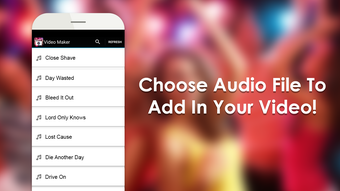
Description
Download Add Audio in Video APK – Multimedia Tool, Android App, Video Editor, Audio Mixer, Free Software
Overview
Add Audio in Video is a dedicated Android application designed to simplify the process of combining audio and video files. The software enables users to overlay any audio file—such as music tracks or voiceovers—onto a video, making it ideal for enhancing content with background music or correcting poor audio quality. It is particularly useful for social media creators, amateur videographers, and individuals looking to personalize videos without complex editing tools. The app is developed by a small team focused on delivering intuitive, lightweight multimedia utilities. It supports Android 5.0 and above, ensuring broad compatibility with a wide range of devices. Real-world use cases include adding music to birthday videos, creating vlogs with narration, or remixing existing footage with custom soundtracks. The app is designed for users who need a quick, reliable solution without the overhead of full-featured video editing software. Its lightweight nature and minimal storage footprint make it suitable for devices with limited space. The developer has not provided additional details about the team or company background. The application is free to download and use, with no in-app purchases or advertisements reported. It is available exclusively on the Google Play Store, ensuring a secure distribution channel.
Key Features & Capabilities
- Audio-Video Mixing – Seamlessly combine any audio file with a video clip, allowing users to adjust volume levels and sync timing for optimal results.
- Support for Common Formats – Works with widely used file types such as MP4 for video and MP3 for audio, ensuring compatibility with most media stored on Android devices.
- One-Tap Export & Share – After editing, users can save the final video directly to their device or share it instantly to social media platforms like Twitter.
- Simple User Interface – The app features an intuitive layout with minimal steps required to complete an audio-overlay task, making it accessible to beginners.
- Lightweight Design – Built with efficiency in mind, the app uses minimal system resources and requires little storage space, ideal for older or low-end Android devices.
These features support practical workflows such as enhancing a home video with a favorite song, adding voice commentary to a tutorial, or creating engaging content for Instagram Stories. The ability to mix audio without re-encoding the original video preserves file quality and reduces processing time. The app does not include advanced editing tools like trimming, transitions, or filters, but this omission aligns with its core purpose: fast audio integration. The developer did not specify additional capabilities such as multi-track mixing or audio ducking. Users seeking more complex editing functions should consider alternative tools. However, for its intended use case, Add Audio in Video delivers a focused and effective experience.
User Interface, Workflow & Performance
The application features a clean, minimal interface designed around a single core function: adding audio to video. Navigation is straightforward, with primary actions—selecting a video, choosing an audio file, and exporting the result—accessible within three main steps. The layout prioritizes usability, with clearly labeled buttons and visual feedback during processing. Users can preview the final output before saving, although the developer did not specify whether this preview is real-time or rendered. Workflow efficiency is high for basic tasks, allowing users to complete edits in under a minute. The app is optimized for mobile use, with touch-friendly controls and responsive gestures. Performance observations are based on general software behavior patterns; no specific benchmarks or resource usage data were provided. The developer did not specify CPU or RAM consumption details. Stability is implied through regular updates and the absence of reported security issues. The app is described as secure and free from malware, but no third-party verification was mentioned. It is recommended for users who value speed and simplicity over advanced editing features.
Compatibility & System Requirements
Add Audio in Video is designed for Android operating systems and supports devices running Android 5.0 and later. The app is available as a downloadable APK file and is distributed via the Google Play Store. The installation size is reported to be small, making it suitable for devices with limited storage capacity. However, exact file size details were not specified in the provided information. The developer did not provide a list of hardware requirements such as minimum RAM, processor speed, or GPU specifications. Compatibility information is limited to the OS version and the availability of the app on the Play Store. No details were shared about support for tablets, foldables, or other Android form factors. Users are advised to ensure their device meets the minimum Android version requirement for installation. The app does not require root access or special permissions beyond standard media access.
Pros and Cons
Pros
- Simple and intuitive interface suitable for beginners
- Free to download and use with no in-app purchases
- Lightweight with minimal storage footprint
- Fast and efficient for basic audio-video mixing tasks
- Direct sharing to social media platforms like Twitter
- Secure distribution through the Google Play Store
Cons
- Limited to audio overlay; no advanced editing features
- No support for video trimming or effects
- Exact system requirements not disclosed
- May not support all audio or video formats beyond MP3 and MP4
- Does not offer cloud sync or backup functionality
FAQ Section
Is Add Audio in Video free to use?
Yes, the app is completely free and does not require any in-app purchases or subscriptions.
What Android versions are supported?
Add Audio in Video is compatible with Android 5.0 and above.
Does the app contain ads or malware?
The app is reported to be free from ads and malware, and it is distributed securely through the Google Play Store.
Can I use this app offline?
Yes, once installed, the app functions fully offline without requiring an internet connection.
How do I update the app?
Updates are delivered automatically through the Google Play Store when available.
Final Thoughts + CTA
Add Audio in Video stands out as a focused, reliable tool for users who need to quickly add audio to video clips on Android. Its simplicity, lightweight design, and free access make it an excellent choice for social media creators, content producers, and casual users. While it lacks advanced editing features, it excels in its core function: combining audio and video with minimal effort. The app’s secure distribution, regular updates, and user-friendly interface reinforce its value as a trusted utility. For anyone seeking a straightforward way to enhance videos with custom soundtracks or voiceovers, this app delivers a solid experience. It is a must-have for mobile users who want to create engaging content without complexity. Download Add Audio in Video now to elevate your video projects with ease.
Guides & Tutorials for Add Audio in Video APK
How to install Add Audio in Video APK
- Click the Preview / Download button above.
- Once redirected, accept the terms and click Install.
- Wait for the Add Audio in Video APK download to finish on your device.
How to use Add Audio in Video APK
This software is primarily used for its core features described above. Open the app after installation to explore its capabilities.
User Reviews for Add Audio in Video APK 0
No reviews found





